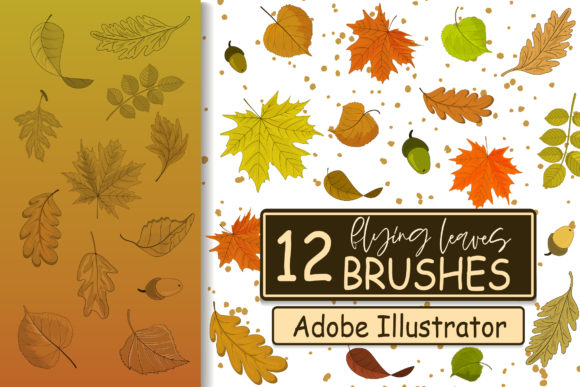
Flying Leaves Brushes for Creative Design
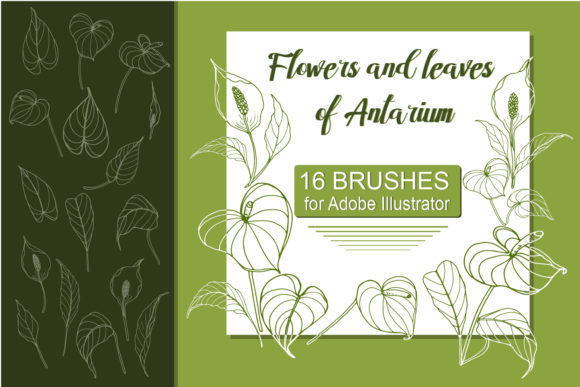
Flying Leaves Brushes offer a dynamic collection of 12 flexible, adjustable brushes designed for Adobe Illustrator users. These vector brushes provide an easy way to add intricate foliage elements like flying fall leaves to your digital artwork. Whether you're working on invitations, logos, or social media graphics, these brushes can elevate your designs with natural, artistic touches.
Each brush in the collection is fully customizable. You can adjust color, size, and shape directly within Adobe Illustrator, giving you complete control over how the foliage appears in your work. This flexibility allows for endless creative possibilities, making it simple to adapt the brushes to different projects and styles.
Why Flying Leaves Brushes Stand Out
Flying Leaves Brushes are more than just decorative elements—they’re powerful tools that can transform your design workflow. Unlike static images or pre-made graphics, these brushes allow you to create unique, scalable foliage effects that fit seamlessly into your existing artwork. The ability to modify each brush’s properties ensures that your designs remain fresh and tailored to your vision.
The brushes are ideal for artists who want to add organic textures without spending hours drawing individual leaves. By simply drawing a path and applying one of the brushes, you can achieve professional results in seconds. This efficiency is especially valuable for designers working on tight deadlines or those looking to streamline their creative process.
Exploring Creative Possibilities
These brushes open up a world of creative applications. For instance, they can be used to enhance illustrations by adding depth and movement. Imagine a nature-themed poster where falling leaves drift across the background, creating a sense of motion and atmosphere. Or consider using them as text dividers in a magazine layout, offering a subtle yet elegant visual break between sections.
For graphic designers, Flying Leaves Brushes can serve as a signature element in branding. A logo featuring a few strategically placed leaves could add a touch of nature and sophistication. Similarly, t-shirt designs can benefit from these brushes by incorporating leaf patterns that reflect seasonal themes or environmental messages.
Marketers and social media managers can also find value in these brushes. They can be used to create eye-catching visuals for campaigns, such as holiday promotions or eco-friendly initiatives. The versatility of the brushes makes them suitable for both digital and print formats, ensuring consistency across all platforms.
Adapting to Different Goals and Audiences
Flying Leaves Brushes can be adapted to suit a wide range of goals and audiences. For educators, these brushes might be useful in creating engaging lesson plans or visual aids that bring educational content to life. For hobbyists, they can inspire new ways to explore digital art and personal projects.
Entrepreneurs and small business owners can leverage these brushes to enhance their brand materials. Whether it's a business card with a subtle leaf motif or a website header that reflects a nature-inspired theme, the brushes can help create a cohesive and memorable brand identity.
Freelancers and creatives can use these brushes to differentiate their work in a competitive market. By incorporating unique foliage elements into their designs, they can showcase their attention to detail and creative flair, setting themselves apart from others in their field.
Practical Tips for Using Flying Leaves Brushes
To get the most out of Flying Leaves Brushes, start by experimenting with different paths and brush settings. Try varying the size and color to match the tone and style of your project. This will help you understand how the brushes interact with your artwork and how to best utilize their features.
When working on larger projects, consider organizing your brushes into separate layers or groups. This will make it easier to manage and edit specific elements without disrupting the rest of your design. Keeping your workspace organized can also improve your overall workflow and reduce the risk of errors.
For best results, ensure that your Adobe Illustrator software is up to date. This will help maintain compatibility and performance when using the brushes. Additionally, take time to explore the various brush options and test them in different contexts to discover new ways to apply them.
Conclusion: Elevate Your Designs with Flying Leaves Brushes
Flying Leaves Brushes offer a versatile and efficient solution for adding natural, artistic elements to your digital designs. With their adjustable features and wide range of applications, they can enhance everything from personal projects to professional work. Whether you're a designer, marketer, educator, or hobbyist, these brushes provide a valuable tool for expressing creativity and improving your visual storytelling.
By incorporating Flying Leaves Brushes into your design toolkit, you can create more engaging and visually appealing artwork that stands out in any medium. Explore the possibilities, experiment with different styles, and let your creativity flourish with this powerful set of Adobe Illustrator brushes.